
Silent at all five prayers
Fajr, Dhuhr, Asr, Maghrib and Isha, each with its own silent window.
Prayer time silent mode
Namaz Mode silences your phone for Fajr, Dhuhr, Asr, Maghrib and Isha, then brings the sound back when you are done. Set it up once and pray without interruptions.
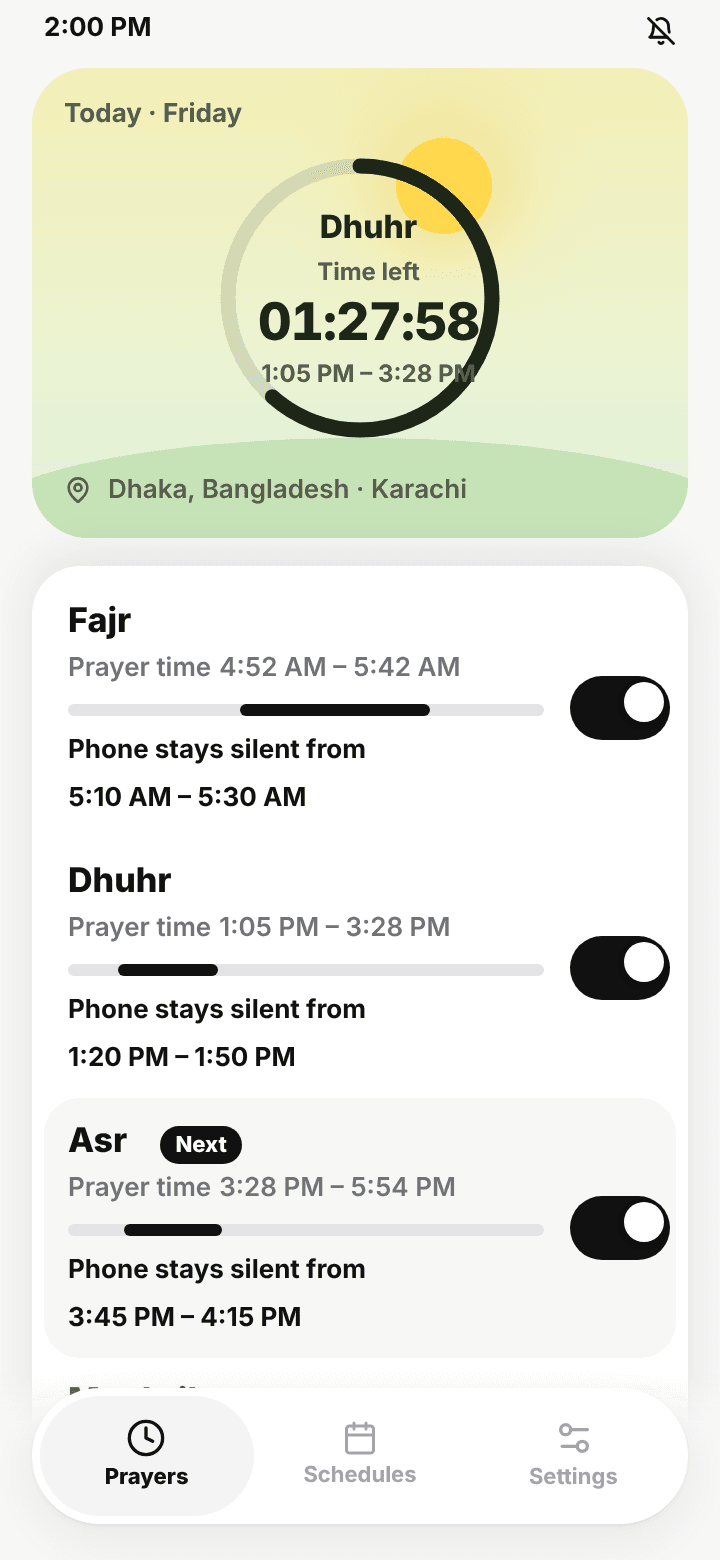
Forgetting to silence your phone is easy. Remembering five times a day, every day, is hard. Namaz Mode does it for you, and it never forgets to turn the sound back on.
Features
Set it once. Namaz Mode follows the prayer times where you live, all year round.
Fajr, Dhuhr, Asr, Maghrib and Isha, each with its own silent window.
The moment a silent window ends, your ringer is back. No missed calls afterwards.
Choose no sound and no buzz, or keep a gentle vibration. Change it per prayer.
Starred contacts ring through, so family can always reach you.
Silent time follows each prayer time, so it shifts as the days get longer or shorter.
Set how many minutes after the adhan your jamaat starts, plus your calculation and Asr method.
Add your own quiet blocks for the khutbah, lectures, meetings or the night.
English, বাংলা, اردو and العربية, with right-to-left layout and local numerals.
How it works
One decision per screen. Here's what setup looks like in the app.
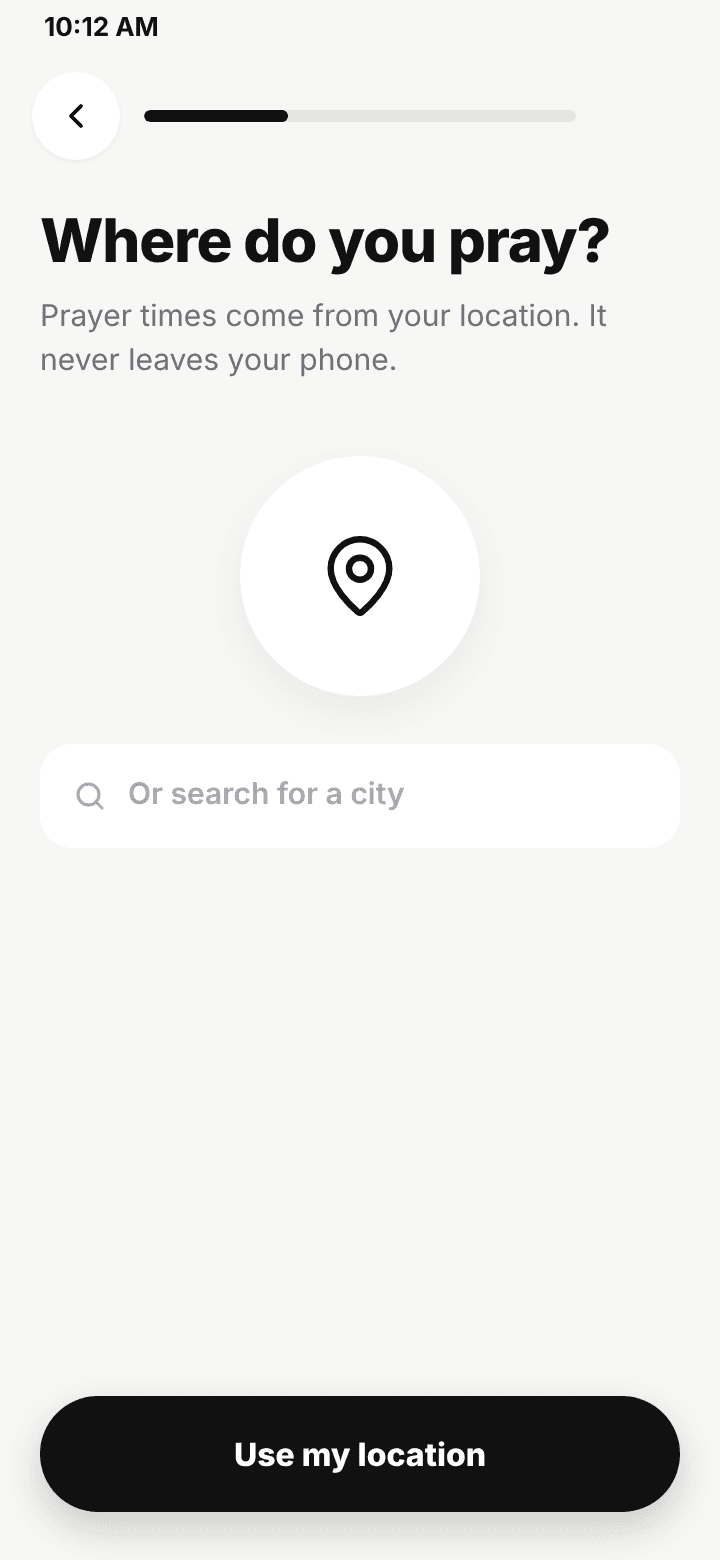
One tap uses your location, or search for your city. Today's five times appear right away.
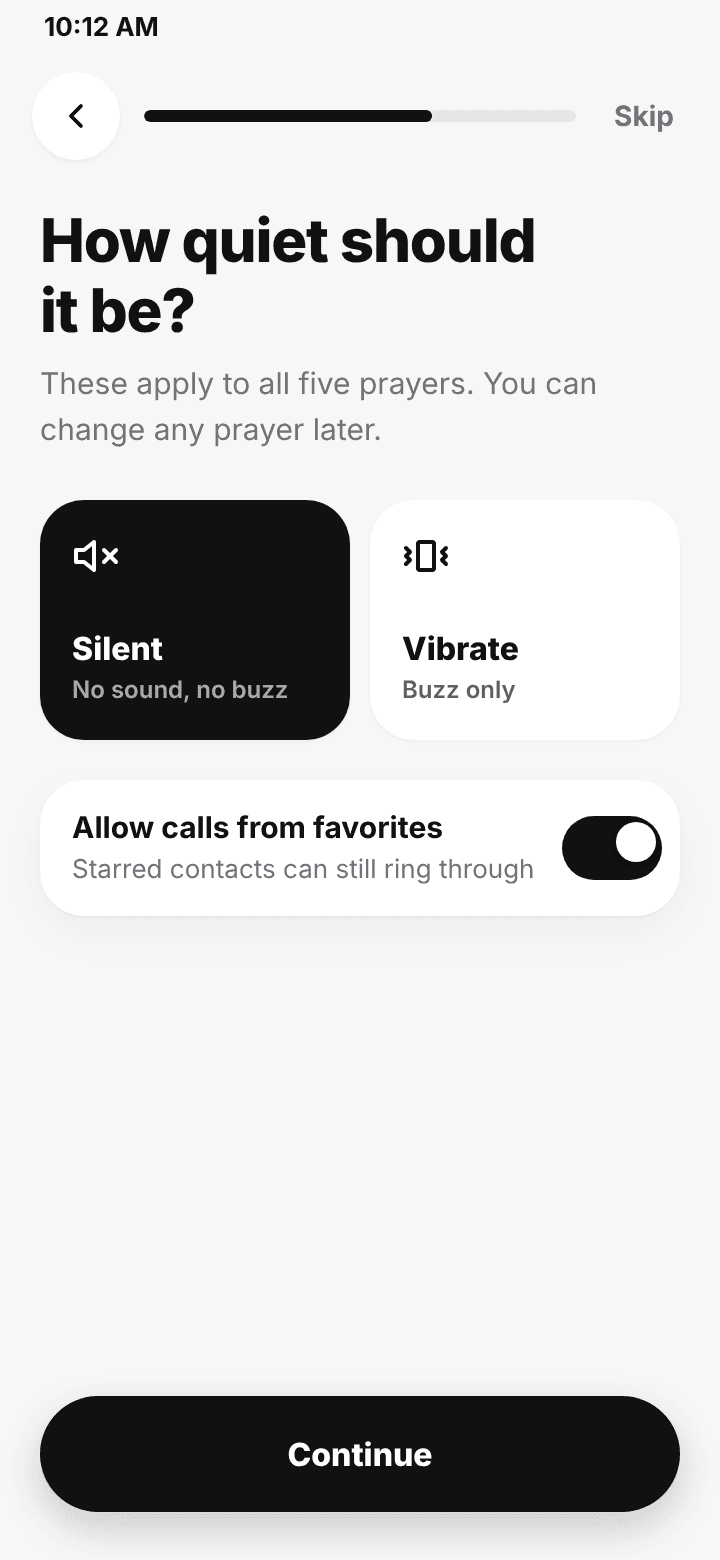
Silent or vibrate, and whether your favourite contacts can still ring through.
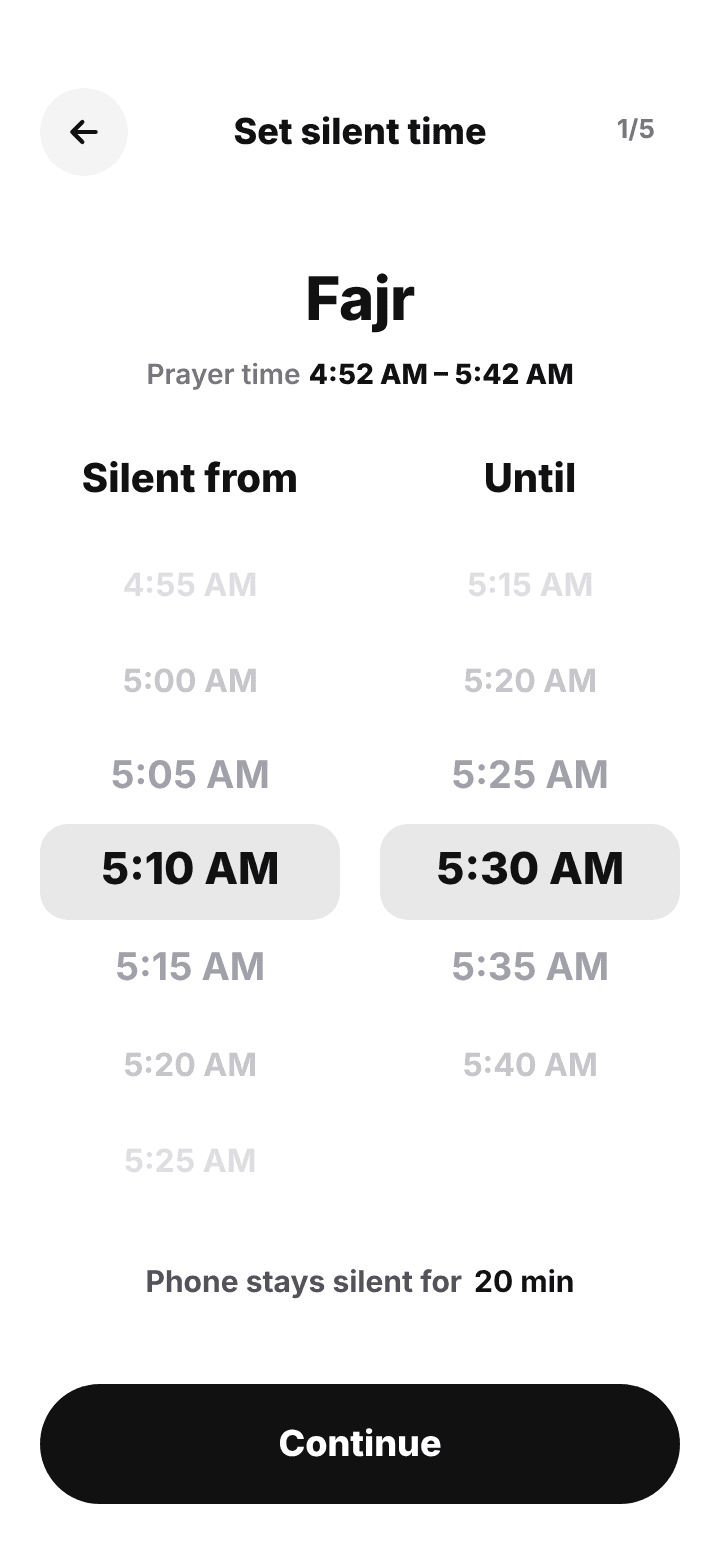
Pick exactly when silence starts and ends. It always stays inside that prayer's time.
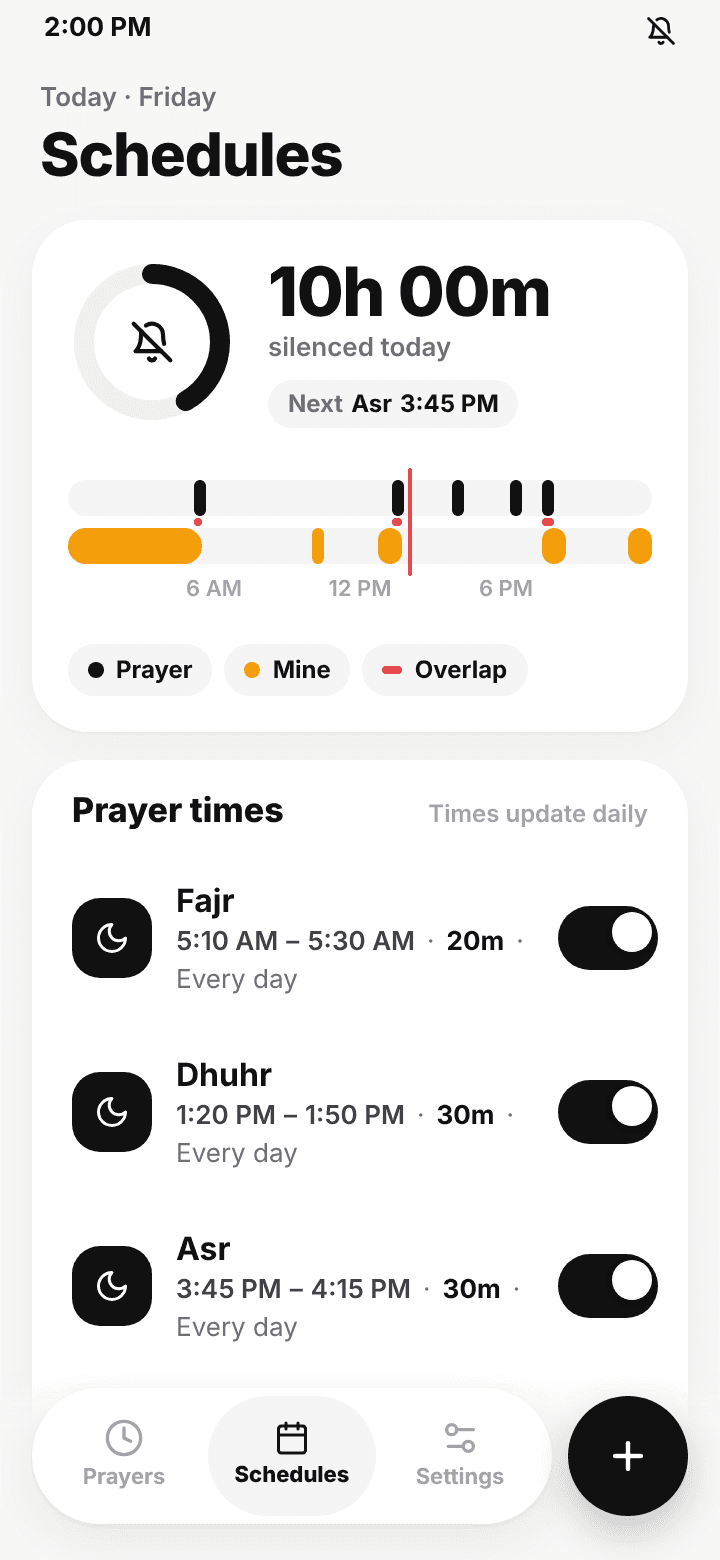
Schedules
Add your own silent blocks for the Jummah khutbah, lectures, work meetings, Quran study or sleep. See your whole day on one strip.
Privacy
No ads, no advertising trackers, no analytics. We never sell your data.
FAQ
It calculates them from your location using the calculation method and Asr method you choose, such as Karachi with Hanafi Asr. Times update every day, so your silent windows move with the seasons.
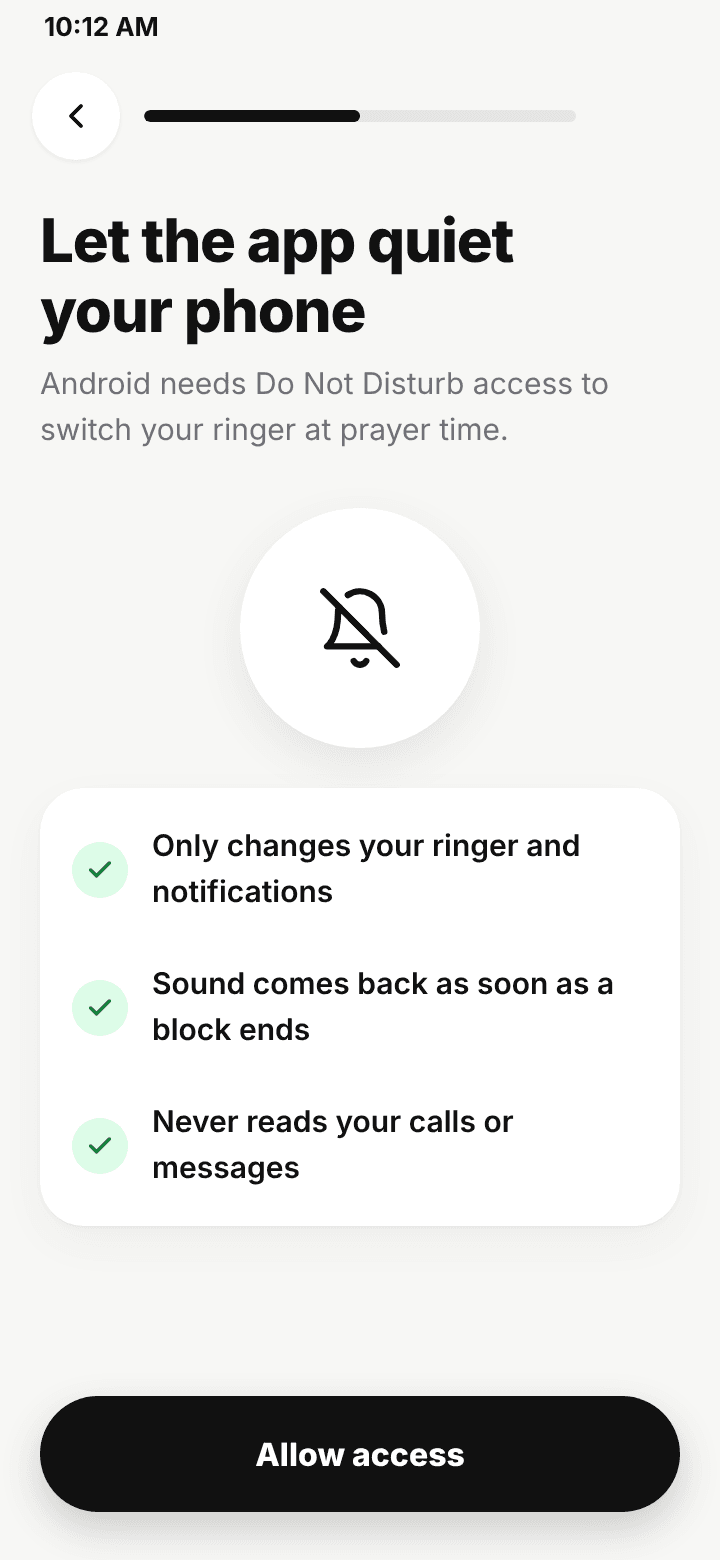
Android needs this permission for any app to switch your ringer at prayer time. Namaz Mode uses it only to change your ringer and notifications. It never reads your calls or messages.
Turn on "Allow calls from favorites" and your starred contacts can still ring through. Everyone else waits until your silent window ends, and the sound comes back automatically.
Yes. Set a mosque delay for how many minutes after the adhan your prayer starts, then choose exactly when silence begins and ends for each prayer.
Yes. Add a schedule for the Jummah khutbah, lectures, meetings, Quran study or sleep, and pick the days it repeats.
English, Bengali, Urdu and Arabic. Urdu and Arabic use a full right-to-left layout with local numerals.
Namaz Mode is free to download and has no ads. An optional Pro upgrade comes with a free trial. [Add what Pro includes and its price.]
Something else? Email support@nimbleappshq.com and the developer replies personally.
Set it up once. Namaz Mode takes care of every prayer, every day.